
Azure · Custos · Database · Elastic Pool · SQL
Cost Management – Using PowerShell to collect Azure SQL costs
Using Cost Analysis in the Azure Portal, you can easily check the prices of Elastic Pool, Standalone databases and SQL Server.
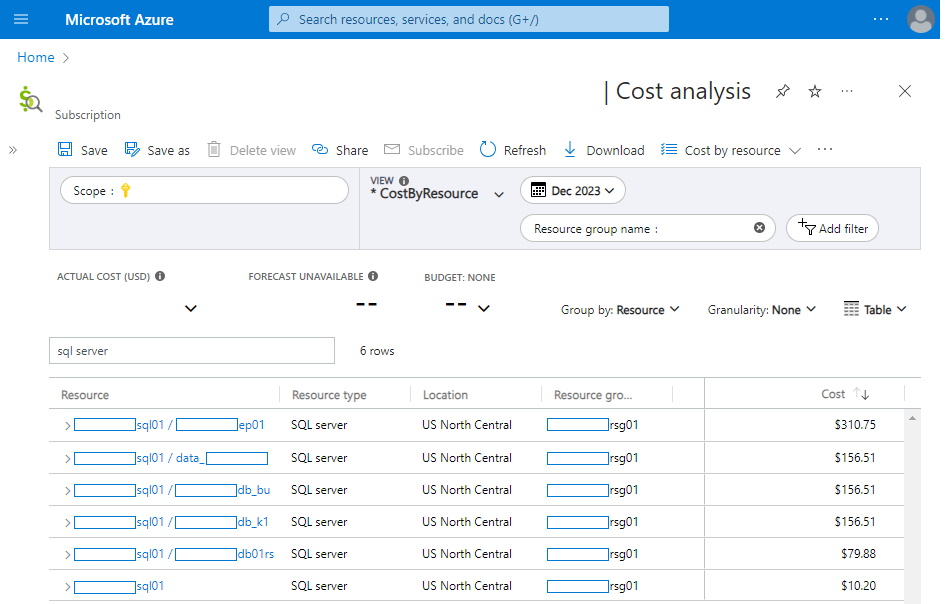
In the image above, it is possible to see the cost of the Elastic Pool, of $310.75, in addition to the individual values of the databases outside the Elastic Pool. And, also, a value for the SQL Server.
When using PowerShell, the cost is concentrated only on the main resource, in this case the SQL Server.
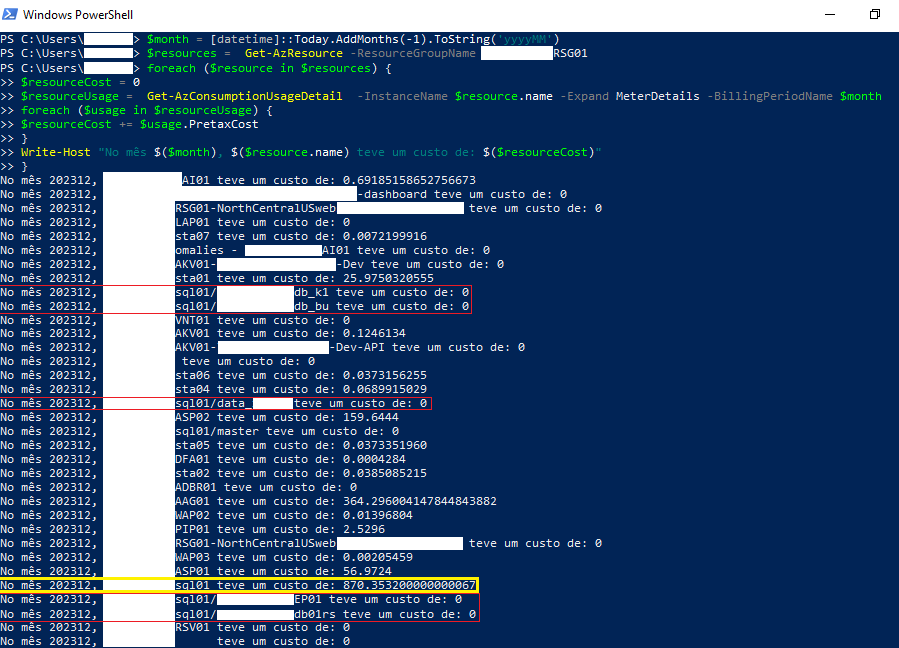
As you can see, the cost ended up accumulated in the SQL Server, totaling a cost of $870.
To obtain the same result that the Azure Portal shows, some modifications to the PowerShell script are needed – if you want the full script, take a look at meu GitHub
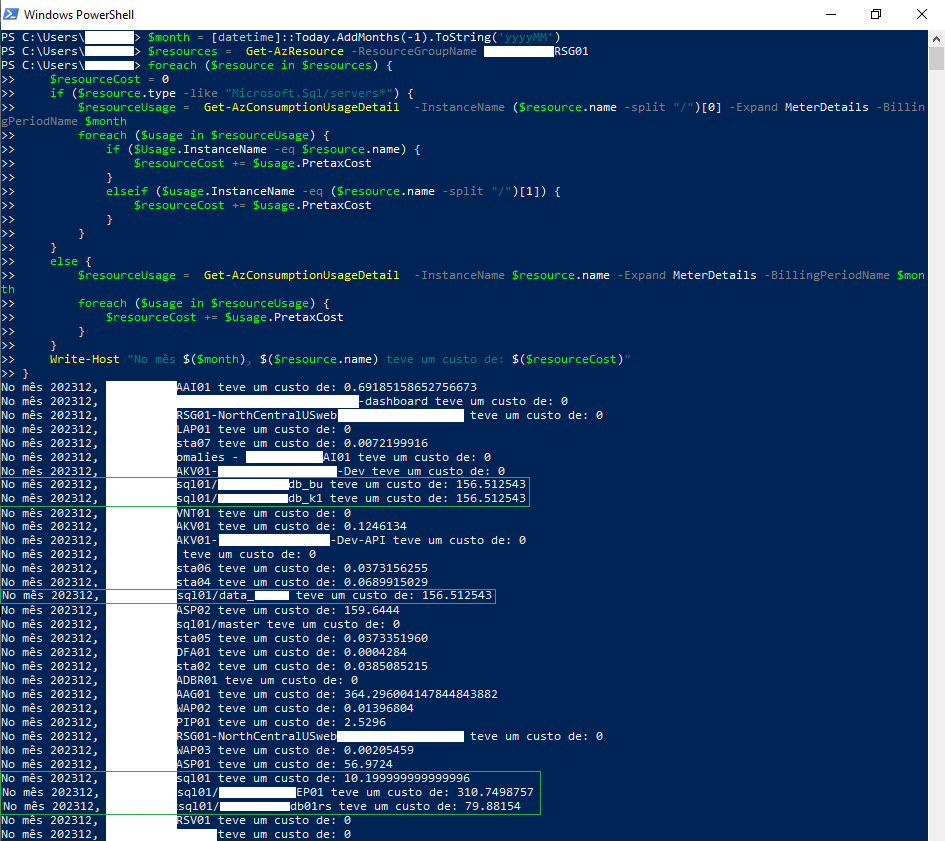
And now the result we see are no longer SQL Server resources that are zeroed, but with costs separated and, when summed, total the same $870 as in the previous image.