
Application Gateway · Azure
Modify Routing Rule Type in Azure Application Gateway
To create a Routing Rule in Azure Application Gateway, there are two options Basic and Path-Based, but how can you modify it?
When you configure the Application Gateway, you will need to create a default rule, which will be associated with the Listener, Backend Pool, and the HTTP settings.
Rule Type
As mentioned above, there are two types of rules: Basic or Path-Based
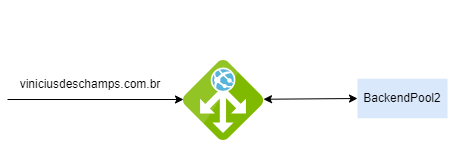
Basic
Every request to the associated listener will be forwarded to only one backend pool that is defined with the HTTP settings
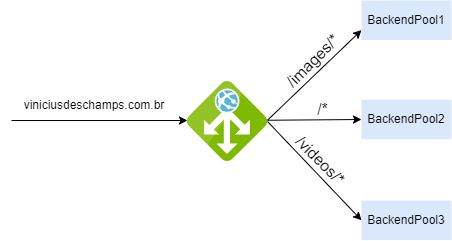
Path-Based
Specific URL requests to specific backend pool
Check Rule Types
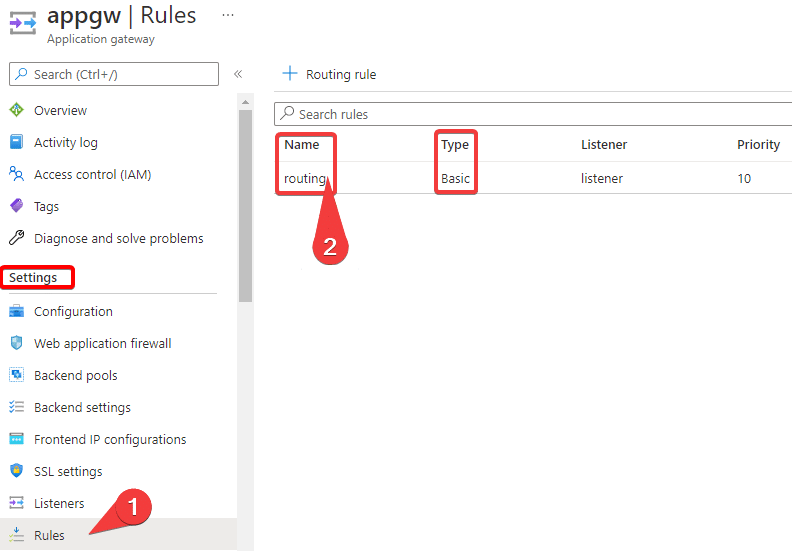
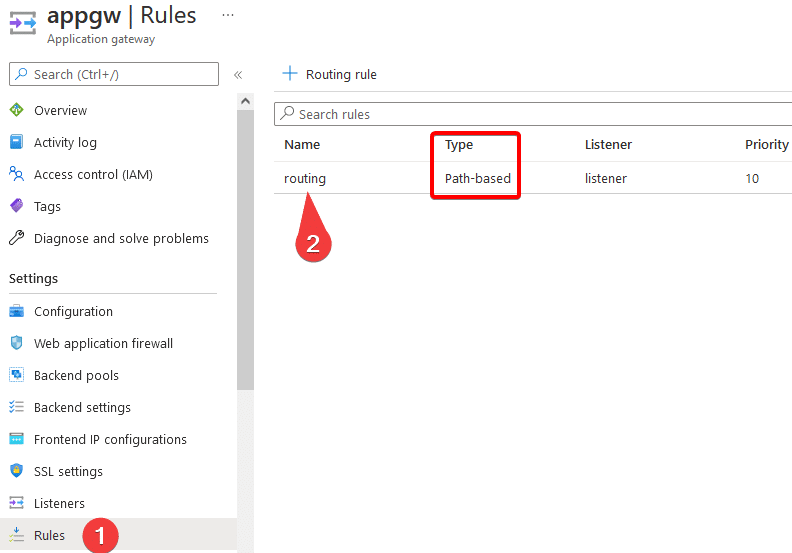
To verify existing rules, go to your Application Gateway and under Settings, look for Rules; then you will see the existing rules on the right side
Modify Rule Type Basic to Path-Based
If you already have a Basic rule and access its settings, and go to Backend targets, you will notice there is no option to modify from Basic to Path-Based
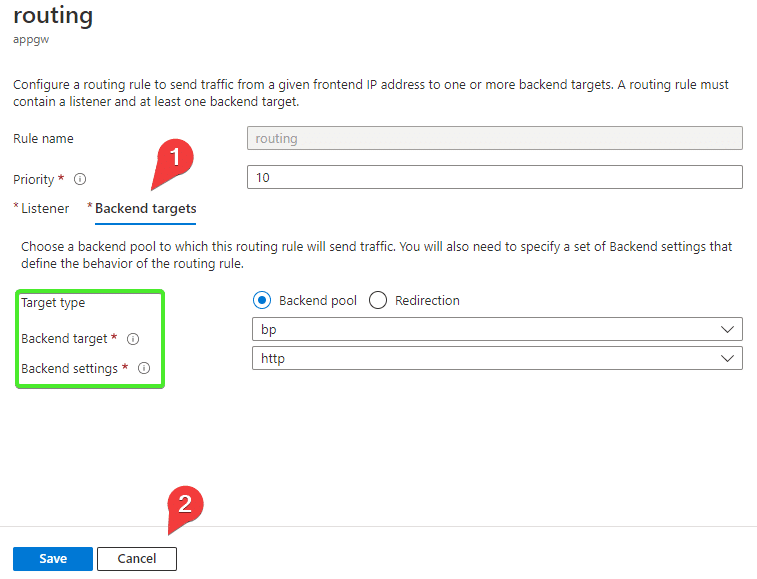
The only way to modify the Routing Rule Type in Azure Application Gateway is through the command line, or by creating a new rule and configuring it from the start as Path-Based
Create a URL Path Map
For a Path-Based rule to be possible, you need to create an object called URL Path Map, where the backend pool information will be stored.

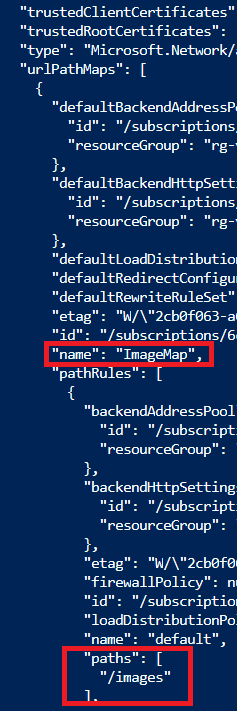
Modify Rule Type of an existing rule
Now that you have a URL Path Map, it is already possible to modify the Rule Type, also using the command line
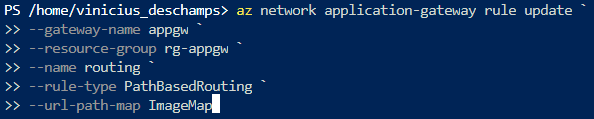
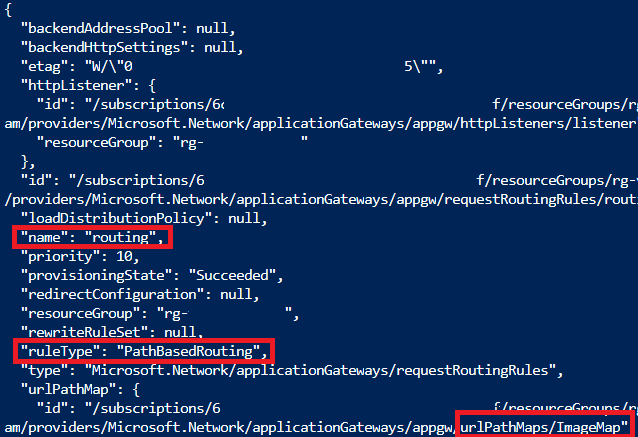
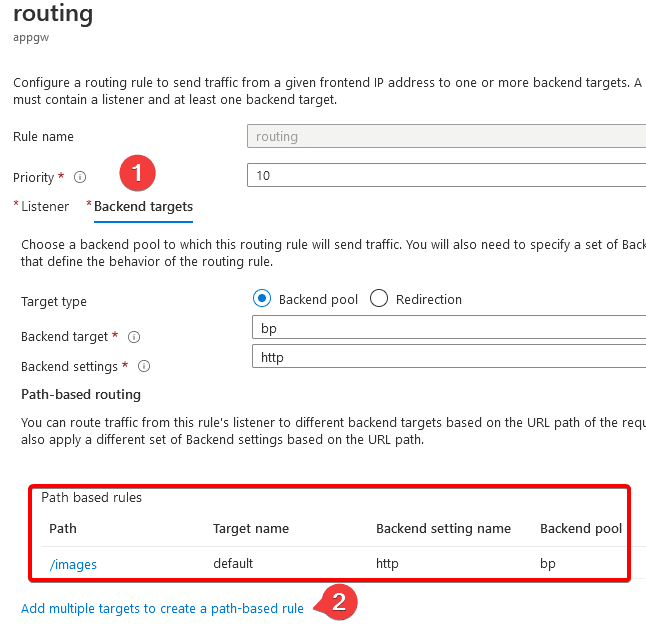
Now, you can verify in the Azure Portal that the rule has been changed to Path-Based
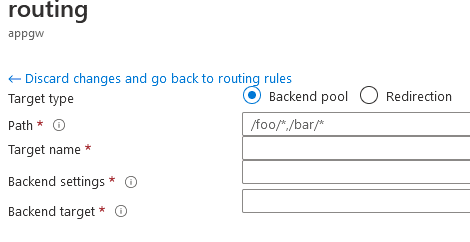
And by accessing the settings of the rule, you will see that it is possible to add new Path based rules directly from the portal by clicking on Add multiple targets to create a path-based rule
References